


How to Write an FAQ Section on Your Website That Will Help You Rank with SEO
Connect


Meet Izzy
You’ve poured your heart and soul into your business. Now it's time for people to connect with your work, but first, they need to see YOU. Let me help you
be SEEN.
Check out my best website design resource: the Ultimate Website Prep Checklist and Resource Guide. You can grab yours for free now!
Back to all Blog posts
August 3, 2026
Here’s a little secret that most people don’t know about FAQ sections:
They’re not just for answering questions.
They’re one of the most underused SEO tools on your entire website.
Done right, your FAQ section can help you show up on Google for the exact questions your ideal clients are already typing in the search bar.
Done wrong, it’s just a list of generic questions that nobody reads.
Let’s make sure yours is doing the first thing.
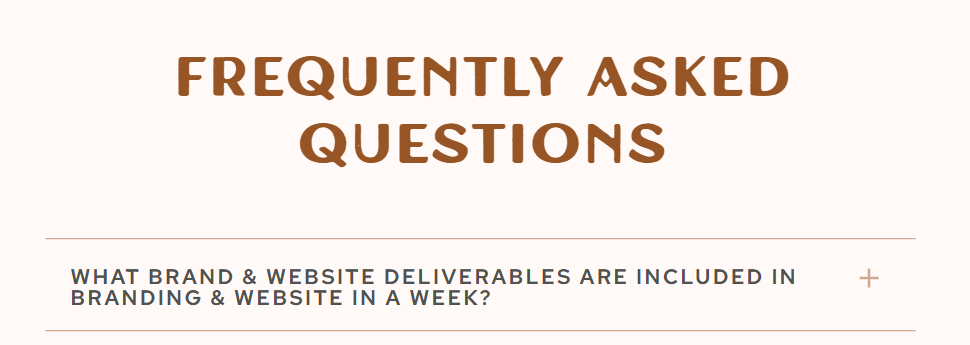
Why Your FAQ Section Actually Matters for SEO
Google’s whole job is to answer questions.
When someone types “how much does a flower farm CSA cost” or “what should I include in a brand package” . Google is out there scanning the internet, looking for the best answer.
Your FAQ section? It’s a goldmine of potential answers.
Here’s what a well-written FAQ section can do for your website:
- Rank for long-tail search queries (the specific questions people type)
- Appear in Google’s “People Also Ask” boxes (that section on the search page with the little dropdown arrows)
- Qualify your leads before they ever hit your inquiry form
- Reduce back-and-forth emails so you’re not answering the same questions 47 times a week
SEO and functionality. One section. Let’s build it right.
Step 1: Research the Right Questions (Don’t Just Guess)
This is where most people go wrong.
They write FAQ questions based on what they think people are asking instead of what people are actually searching for.
Here’s how to find the real questions:
Google it yourself. Type your main service or topic into Google and scroll down to the “People Also Ask” section. Those dropdown questions? Write them down. That’s your FAQ content map.
Check your inbox. What do new leads ask you most before booking? What comes up on every discovery call? Those are your FAQ questions.
Look at your DMs. If someone’s asking it on Instagram, they’re probably Googling it too.
Use free keyword tools. Tools like AnswerThePublic or Google’s own autocomplete can show you exactly what people are searching around your topic.
The goal is to write the questions your clients are asking not the questions that are easiest for you to answer.
Step 2: Write the Questions the Way People Actually Search
This is a small but mighty detail.
Most FAQ sections look like this:
“What is your pricing?”
But here’s how someone actually types it into Google:
“How much does brand and website design cost?”
See the difference?
When you write your FAQ questions to match the natural language of a search query, you dramatically increase the chance of Google surfacing your page as the answer.
Quick formula: [Action word] + [specific topic] + [context]
- “How long does it take to build a flower farm website?”
- “What’s included in a brand design package?”
- “Do I need a logo before I build my website?”
- “How do I start a flower CSA subscription?”
Specific. Searchable. Conversational. That’s the sweet spot.
Step 3: Give Complete (But Concise) Answers
Google doesn’t reward vague.
When you answer an FAQ on your website, you want to give a real, helpful answer — not a one-liner that sends people running back to the search results.
But you also don’t need to write an essay.
Aim for 2–5 sentences per answer. Enough to actually answer the question, give a little context, and — if relevant — point toward the next step.
For example:
Q: How long does a flower farm website take to build?
A: That depends on the platform and how prepared you are when we start. Most of my clients go from strategy to launch in 5–7 business days with my Website in a Week package. The key is having your content, photos, and copy ready before we begin — which is why I send every client a prep checklist in advance.
See how that answer is helpful, specific, and naturally leads back to a service? That’s the move.
Step 4: Use Keywords Naturally Inside Your Answers
You don’t need to stuff your FAQ with keywords until it reads like a robot wrote it.
But you do want to include your main keywords and phrases naturally within your answers.
If your focus keyphrase is “flower farm website design,” you want that phrase (or a close variation) showing up somewhere in your FAQ answers.
Think about it this way:
- What are the main words your ideal client would use to describe what you do?
- What location-specific terms are relevant to your business?
- What specific services or offerings are you trying to rank for?
Weave those in organically. Write for humans first, search engines second.
Step 5: Add FAQ Schema Markup (This Is the Secret Weapon)
Okay, stay with me here because this one is really good.
FAQ Schema is a little piece of code you can add to your website that tells Google: “Hey, this section is a FAQ. Please display it nicely in search results.”
When Google reads that code, your FAQ has a chance of showing up like this in search results — with the questions expanded right on the search page, before anyone even clicks to your site.
That kind of visibility is huge.
How to add it:
- If you’re on WordPress, the RankMath or Yoast SEO plugin has a built-in FAQ block that adds schema automatically
- If you’re on Squarespace or Showit, you can add FAQ schema manually through a code block
- If you’re not sure how, this is a great thing to ask your web designer about
You don’t need to be a developer to make this happen. But it makes a real difference.
Step 6: Place Your FAQ Where It Makes Sense
Your FAQ section doesn’t just live on a standalone FAQ page (though that’s a great idea too).
Some of the most strategic places to add FAQ content:
- Your services or sales page — answer objections right where people are deciding to hire you
- Your home page — address the most common questions upfront
- Individual product or offering pages — answer the specific questions about that offering
- Blog posts — FAQ-style content at the end of a post is excellent for long-tail SEO
The more helpful context you give, the longer people stay on your site. And the longer they stay, the better your SEO.
What Good FAQ Questions Look Like (By Industry)
Not sure where to start? Here are some examples:
For brand and website designers:
- How long does the branding process take?
- What’s the difference between a logo and a full brand identity?
- Do I need to have my copy written before we start my website?
- How much does a website redesign cost?
For flower farmers:
- How do flower CSA subscriptions work?
- When does your flower CSA open for the season?
- Can I pick up flowers directly from the farm?
- What flowers do you grow?
- Do you sell to florists or wholesale?
For service-based business owners in general:
- How do I get started working with you?
- What’s your turnaround time?
- Do you offer payment plans?
- What do I need to prepare before our project begins?
Pick the ones that fit. Make them specific to your business. And write the answers like a real human.
Your FAQ section should be doing two things at once:
1. Answering your clients’ real questions so they feel informed and ready to say yes.
2. Answering Google’s questions so you show up when the right people are searching for what you do.
It’s one of the highest-leverage things you can add — or improve — on your website. And it doesn’t require a redesign or a big budget.
Just intentional, strategic content.
If you want a website that’s built to both look good and work hard for your business, that’s exactly what I design. Check out the Website in a Week package or book a free 30-minute consultation to talk through what you need.
Because you shouldn’t have to choose between a beautiful website and one that actually brings in clients. You can have both. 🌸
Back to all Blog posts

Three Promises of Izzy Waite Design
Authentically You Branding
Collaborative & Fun Process
Don’t have it all figured out? That’s ok! My process will meet you where you’re at and help translate your ideas & vision into a brand you’ll love.
Results-Driven Design
By blending aesthetics with strategic design, we’ll make sure that your website not only looks amazing, but has a user-friendly layout that increases inquiries.